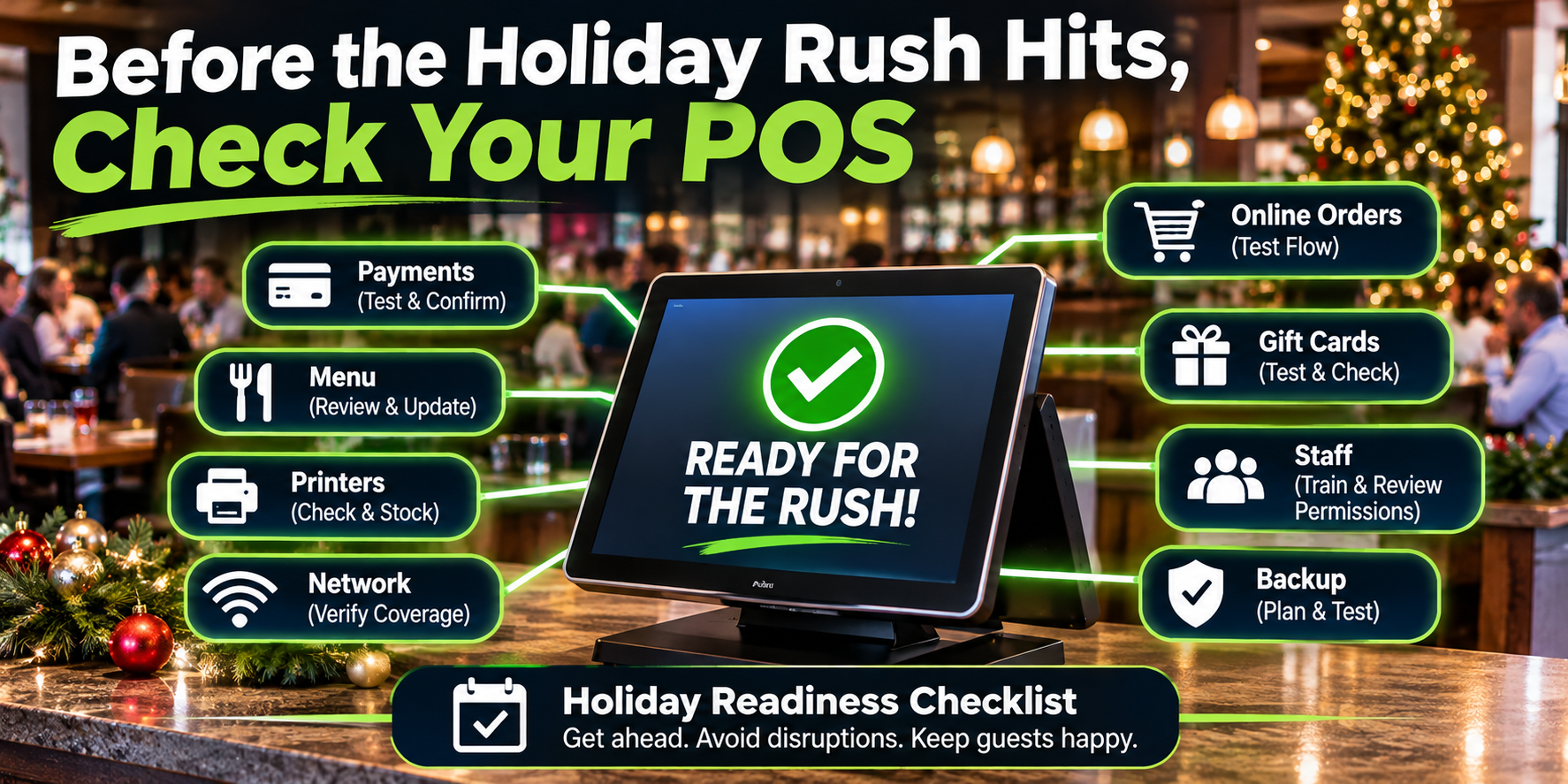
The holiday season puts pressure on almost every part of a restaurant.
More guests.
More takeout.
More gift cards.
More catering.
More online orders.
More temporary employees.
More unusual schedules.
And usually less room for technology problems.
A POS issue on a quiet Tuesday afternoon is inconvenient.
The same issue during a packed holiday dinner can stop service, frustrate employees, and create a line of guests waiting to pay.
The good news is that many restaurant technology problems can be caught before the busiest days arrive.
You don’t need a major technology overhaul.
You need to make sure the systems you already depend on are ready for the volume you’re about to ask them to handle.
Here are the areas worth checking before peak holiday service.
1. Test Every POS Terminal
Start with the obvious equipment.
Use every terminal in the restaurant.
Don’t assume a device is fine because the screen turns on.
Check:
- Touchscreen response
- Login speed
- Order entry
- Check closing
- Payment processing
- Receipt printing
- Network connection
- Peripheral connections
Ask employees whether any terminal has developed a reputation.
You may hear:
“That one freezes sometimes.”
“We don’t use that one when we’re busy.”
“You have to restart it before dinner.”
Those are warning signs.
If the team already knows a workaround, the underlying problem deserves attention before volume increases.
2. Check Your Payment Devices
Holiday traffic means more transactions.
Your payment devices need to keep up.
Test each terminal for:
- Chip transactions
- Contactless payments
- Digital wallets
- Tip prompts
- Receipt options
- Connectivity
If you use handheld payment devices, check battery life and charging.
Make sure every device you expect employees to use is operational.
One failed payment terminal may not sound serious until several servers are waiting to share the only working one.
3. Review Your Menu Before Seasonal Changes Go Live
Holiday menus create plenty of opportunities for POS mistakes.
You may be adding:
- Seasonal specials
- Prix fixe menus
- Holiday cocktails
- Catering packages
- Limited-time desserts
- Gift-card promotions
- Special discounts
Check that each item has:
- Correct pricing
- Correct tax
- Proper modifiers
- Proper availability
- Correct kitchen routing
- Correct online-ordering visibility
If something is only available during certain hours or dates, configure that ahead of time when possible.
Avoid depending on employees to remember:
“Don’t use that button until Friday.”
or:
“That price is wrong, so charge this instead.”
The POS should carry as much of that responsibility as possible.
4. Clean Up the Menu
Holiday season is also a bad time for employees to hunt through screens full of unused buttons.
Remove or hide:
- Old specials
- Discontinued items
- Duplicate items
- Expired discounts
- Temporary test buttons
Make popular seasonal items easy to reach.
If you’re expecting increased volume, reducing unnecessary taps can have a real impact.
A cleaner menu helps experienced employees move faster and makes life easier for seasonal or newly trained staff.
5. Verify Kitchen Routing
Adding new menu items isn’t enough.
They need to go to the right place.
Test seasonal items and complete orders.
Confirm:
- Drinks reach the bar.
- Appetizers reach the correct station.
- Entrées route properly.
- Desserts reach the right production area.
- Takeout orders are clearly identified.
- Catering orders route appropriately.
If you use kitchen display systems, verify that new items appear on the right screens.
If you use printers, make sure every station is receiving clear tickets.
The busiest shift of the season is a terrible time to discover that the holiday appetizer never prints in the kitchen.
6. Test Your Printers
Printers tend to become invisible until they stop working.
Check:
- Kitchen printers
- Bar printers
- Guest receipt printers
- Takeout printers
- Label printers
Make sure you have adequate supplies.
That includes:
- Receipt paper
- Kitchen paper
- Labels
- Ink or ribbons where applicable
A printer with no paper is still non-functional.
Consider keeping extra supplies where managers can reach them quickly.
7. Check the Network
Your holiday traffic may also increase the load on your restaurant network.
More guests can mean more guest Wi-Fi usage.
More staff may mean more handhelds.
More online orders mean more connected transactions.
Make sure:
- Wireless coverage is consistent.
- Handhelds work throughout service areas.
- Network equipment is operating normally.
- Cabling is secure
- Access points are online.
- Critical devices aren’t sharing an unstable connection.
Pay particular attention to patios, private dining rooms, event spaces, or temporary service areas that may be used more during the holidays.
If handhelds or printers already behave inconsistently in those spaces, higher volume won’t improve the situation.
8. Test Backup Internet
If your restaurant has backup connectivity, verify it.
Don’t simply assume the cellular failover or secondary connection will work when needed.
Test it during a low-risk period.
Make sure critical systems continue operating.
Also make sure managers understand what happens when the primary connection fails.
A backup connection nobody knows how to use isn’t much of a backup plan.
9. Place a Real Online Order
Holiday takeout and online ordering can increase dramatically.
Place an order like a guest would.
Check:
- Menu availability
- Seasonal items
- Pricing
- Modifier choices
- Taxes
- Fees
- Pickup times
- Payment
- Confirmation
- POS entry
- Kitchen routing
Then follow the order through production.
Don’t stop testing when the website says:
Order Confirmed.
Make sure the restaurant actually received the right information.
10. Review Order Throttling and Pickup Times
If your online-ordering system supports capacity controls, understand how they are configured.
A system that happily accepts twenty orders for 6:00 PM isn’t particularly helpful if the kitchen can only produce eight.
Review:
- Order limits
- Pickup intervals
- Lead times
- Temporary closures
- Sold-out controls
Holiday demand can expose capacity problems that aren’t noticeable during normal service.
Technology should help control volume, not simply send more orders into an already overwhelmed kitchen.
11. Check Gift Cards
Gift cards become especially important during the holidays.
Test:
- Selling a gift card
- Redeeming a gift card
- Checking a balance
- Digital gift cards
- Physical cards
- Online purchases
- Multi-location use, if applicable
Make sure employees know how gift cards work before customers begin buying and redeeming them in volume.
Also verify that seasonal gift-card promotions are configured correctly.
A promotion like:
Buy $100, receive $20
can become surprisingly complicated if the POS isn’t configured properly.
12. Review Discounts and Promotions
Holiday promotions often create extra discount buttons.
Confirm:
- Discount amount
- Start date
- End date
- Eligible items
- Employee permissions
- Whether discounts can be combined
Remove old promotions.
Clearly label current ones.
Managers should not have to guess which of five similarly named discount buttons is correct.
13. Prepare New and Seasonal Employees
Holiday staffing may include:
- New servers
- Temporary employees
- Seasonal hosts
- Extra bartenders
- Additional takeout staff
They may not have months of POS experience.
Make sure they can handle the basics:
- Enter orders
- Add modifiers
- Process payments
- Split checks
- Handle gift cards
- Find seasonal items
- Enter takeout orders
- Get manager assistance
Your most experienced employee may know every strange shortcut in the system.
A seasonal employee won’t.
This is another reason a clean POS configuration matters.
14. Review Manager Permissions
Busy periods create more exceptions.
Refunds.
Comps.
Voids.
Discounts.
Payment corrections.
Make sure the managers working peak shifts actually have the permissions they need.
At the same time, avoid giving every seasonal employee broad manager access to make service easier.
The right access should already be in place.
15. Update Your Support Contact List
Make sure managers know who to call when something fails.
Include:
- POS provider
- Payment processor
- Internet provider
- Network support
- Online ordering
- Delivery services
- Other critical technology vendors
And verify holiday support hours.
A phone number isn’t particularly useful if nobody is there to answer.
Keep the information somewhere managers can reach quickly.
16. Know Your Offline Plan
Ask your management team:
What happens if the POS loses internet during our busiest holiday shift?
They should know.
Review:
- Offline POS functionality
- Offline payment policies
- Manual order procedures
- Backup internet
- Support escalation
- Reconciliation after recovery
Keep manual checks and basic supplies available.
You may never need them.
That’s the goal.
17. Make Sure You Have Spare Equipment
You don’t necessarily need backups for every device.
But think about your most critical failure points.
Would it help to have:
- Spare handheld
- Spare payment terminal
- Backup kitchen printer
- Extra cables
- Extra power supply
- Printer paper
A relatively inexpensive spare can be valuable when replacing the failed equipment would otherwise take days.
18. Run a Mini Stress Test
You don’t need a full mock opening.
But before a major holiday or event, create some volume.
Have several employees:
- Enter orders at once
- Use handhelds
- Process payments
- Send tickets to the kitchen.
- Place an online order.
- Print receipts
Watch what happens.
Does anything slow down?
Do employees wait for hardware?
Does a printer fall behind?
Does the kitchen receive everything correctly?
Testing individual components is useful.
Testing them simultaneously tells you more about how the restaurant will behave when it’s busy.
Holiday Readiness Is More Than Keeping the POS Online
A system can technically be functioning and still slow the restaurant down.
Look for operational friction too.
Are employees waiting for terminals?
Are seasonal items difficult to find?
Are managers constantly approving routine actions?
Does online ordering overwhelm the kitchen?
Are employees walking across the restaurant to process payments?
Technology readiness isn’t only about preventing outages.
It’s also about making sure the system can support the pace you expect.
Don’t Make Major Changes at the Last Minute
One important exception to the idea of fixing everything before peak season exists.
If a technology issue isn’t urgent, the night before your busiest service may not be the ideal time for a major change.
Avoid unnecessarily introducing:
- New POS software
- Major network changes
- Entirely new menus
- New integrations
- Large software updates
Immediately before the rush.
Fix genuine problems.
Prepare what needs preparation.
But recognize that stability has value too.
A major change should have enough time to be tested properly.
After the Rush, Write Down What You Learned
Once the busy period ends, ask the team:
What caused problems?
Maybe you needed another payment device.
Maybe the online-ordering capacity was too high.
Maybe seasonal menu buttons were confusing.
Maybe Wi-Fi coverage failed in a private event space.
Maybe gift cards slowed down checkout.
Those observations are valuable.
Write them down.
Next year’s holiday technology plan should start with what you learned this year.
The Bottom Line
Holiday service puts restaurant technology under pressure.
The best time to discover a problem is before the dining room is full.
Test the POS.
Check the payment devices.
Review the menu.
Verify kitchen routing.
Test the network.
Place an online order.
Review gift cards.
Train the staff.
Know your backup plan.
You don’t need perfect technology.
You need technology that can reliably support the restaurant at its busiest.
When the rush starts, your employees should be thinking about guests, not whether the POS will make it through the shift.
Is Your Restaurant Technology Ready for Peak Service?
Tillify Technologies helps restaurants prepare, maintain, and improve point-of-sale systems and the technology surrounding them.
From POS configuration and menu updates to hardware, networking, integrations, and system maintenance, a little preparation before peak service can prevent much bigger problems later.
Your busiest days shouldn’t also be your technology’s biggest test.
Comments